
Lander County Same-Day Release Source
The Lander County Sheriff does not publish a separately branded rolling 24-hour release list. Its official site sends readers to the Sheriff data system, now presented as CitizenRIMS. That portal holds current and historical inmate records. A released entry can show an explicit Released status and an exact out date and time. To create a same-day view, compare that out timestamp with the current time. Describe the result as records released within the past day, not as an agency-created list.
This distinction matters. The visible controls are oriented toward bookings, and the Sheriff has not stated that each release appears at once. The reviewed sources also provide no guaranteed update cycle or online retention term. A record may be entered after a release is processed. Another may remain visible for much longer than one day. Use the timestamp, not its mere presence on the screen, to decide whether the event fits the window.
Check Lander County 24-Hour Releases
Begin with a fixed 24-hour period ending at the time of the check. Write down the start and end times, including the date. This avoids confusing “today” with a true rolling day. Midnight-to-midnight and the last 24 hours are not always the same set of records. Then use the exact out field on each relevant Lander County booking.
- Open the Lander County CitizenRIMS inmate portal.
- Locate the correct person and open the detailed booking record. Match more than a common name.
- Confirm that the record says Released, then record its exact out date and time.
- Compare that timestamp with the chosen 24-hour start and end points.
- Read the booking agency, charge rows, bail details, and any disposition or transfer clue in context.
- Call Detentions or obtain the underlying record when the entry is missing, new, or unclear.
A person-focused search has a different aim from reviewing everyone in a time window. For a named person and the full county, state, court, notification, and federal path, use the Lander County released-inmate search. Keep the same-day review tied to out timestamps so the result does not drift into a general roster search.
Note: Save the time of the check because a rolling 24-hour comparison changes as each hour passes and records may be revised.
Lander County Release Fields
A CitizenRIMS detail page contains more than one status word. Read its identity, event, agency, and charge fields together. The release entry confirms the end of that Lander booking only when it shows Released and an out timestamp. It does not, by itself, state that every case ended or that the person entered the community. Charge text describes an allegation unless a later court record establishes the disposition.
| Field | How to read it |
|---|---|
| Full name and booking number | Identify the specific booking and help distinguish people with similar names. |
| Booking date and time | Mark when the jail event began, not when it ended. |
| Status and released flag | Show whether CitizenRIMS labels that booking as released or in custody. |
| Out date and time | Supply the key timestamp for the rolling 24-hour comparison. |
| Booking and arrest agencies | Identify which agencies handled the booking and original arrest. |
| Charge, level, counts, and bail | Give booking context, not a final finding of guilt or a complete court outcome. |
| Disposition or receiving agency | When available, help distinguish community release from transfer into other custody. |
Some desired facts may not appear in the public view. A release type, court case number, destination, or receiving agency may require the Sheriff record or court file. Ask for the specific missing item rather than guessing from bail, charge, or roster status.
Why Lander Release Records Persist
CitizenRIMS keeps historical released bookings well beyond the same-day window. This is a useful local feature. It means a record found today may concern a release from weeks or months earlier. It also means the result page is not self-filtering evidence that someone left within 24 hours. The exact out date and time control the answer.
The portal’s longer view helps when the initial check happens late. It can also let a reader correct a mistaken time boundary. Return to the entry and compare the recorded out event with the written start and end times. If the record has no clear out field, do not place it in a same-day release set. Call the detention operation for the specific custody event.
The successful manifest capture comes from the officially linked Lander inmate portal.
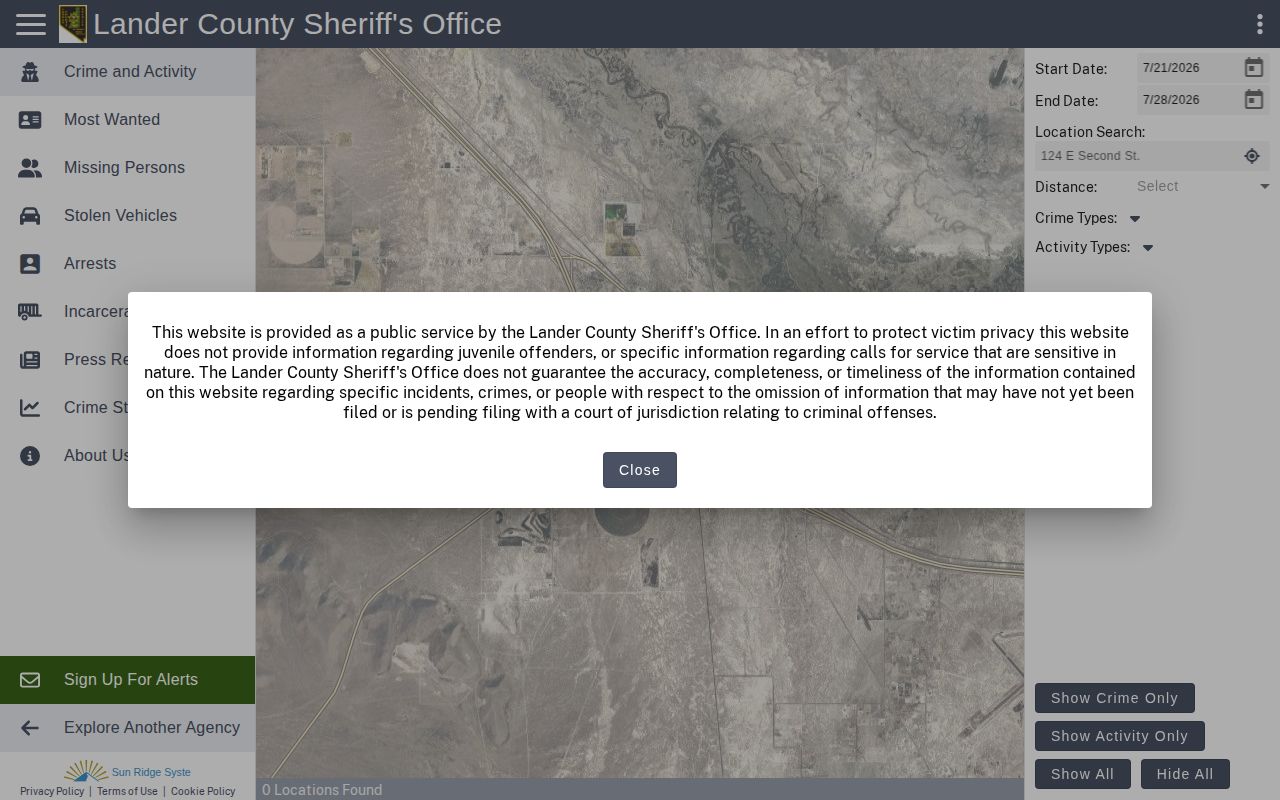
The screen shows why a timestamp comparison is needed: CitizenRIMS is a historical inmate portal, not a separate Sheriff list limited to the last day.
Confirm Lander County Release Events
When no clear online entry appears, start with Lander County Detentions at 775-635-1489. Ask about the exact booking or custody event. The Sheriff’s Office is at 2 State Route 305, Battle Mountain, NV 89820. The published research does not state a release desk schedule, a fixed response time, or a local copy fee, so ask the office for its current process and a fee estimate.
A narrow request under Nevada Public Records Act, NRS Chapter 239, should identify the person and approximate booking period. Request the booking sheet, custody-status or release log, release date and time, release disposition, and a transfer destination or receiving agency if public. Ask for electronic copies. A focused request is easier to route than a broad demand for all jail data.
Other channels serve distinct roles. NV S.A.V.E. can provide a custody-change notice for participating Nevada agencies, but its transmitted data is not an official NDOC record. The NDOC offender search applies after a state-prison transfer, not to a person who only left the county jail. Argenta or Austin Justice Court may hold the early case, while Lander County District Court can hold a district-level judgment or later order.
Note: Request the disposition and receiving agency because “out” proves that Lander custody ended, not that all custody ended.
Lander Released Versus In Custody
A current Lander County booking may show In Custody. A historical record may show Released with an out date and time. Those labels answer whether the local booking remains open in the Sheriff system. They do not resolve every later agency or court event.
| Record result | Next reading |
|---|---|
| In Custody | The Sheriff system still treats the person as held on that booking; verify directly if processing is underway. |
| Released with out time | Lander custody ended at the shown time; check the disposition or destination. |
| Transferred | The person left the local facility but entered another agency’s custody. |
| No matching record | Try identifiers, call Detentions, and check the court or correct receiving system. |
A state-prison transfer belongs in the Nevada Department of Corrections offender search after intake. A federal commitment may later appear in the Bureau of Prisons locator. A pretrial federal detainee may instead remain under the U.S. Marshals Service in a contract jail. None of those outcomes should be called a community release without a confirming record.
No Lander Release App Verified
No official Lander County Sheriff mobile app advertising recent releases was identified in the reviewed official sources. CitizenRIMS is the documented digital channel. A similarly named app found in an app store should not be treated as official merely because it uses local terms, a badge image, or jail language.
Check the Lander County Sheriff’s official site for an agency announcement before installing or relying on an app. Use an app-store listing only when the Sheriff links to it or clearly names the publisher. Until then, use the web portal, Detentions number, and state notification service. This avoids sending personal contact details to an unrelated product.
Getting Home After Lander Release
Transportation can shape a same-day release plan in Lander County. Nevada transportation planning notes that public transportation does not extend beyond Battle Mountain Township and that intercity access is limited. That finding does not mean the jail supplies transportation. It means a family member should confirm the actual exit point and timing before arranging a ride.
Call Lander County Detentions for the specific release event. Ask whether the event is a community release or a transfer, and confirm where the person will physically leave custody. Avoid setting a pickup solely from a portal timestamp. Processing can change, and another agency may receive the person. The Nevada DOT coordinated transportation plan supplies regional context, while the jail remains the source for the custody event.
Expand a Lander Release Check
A same-day review can miss an event that falls just outside the boundary or was entered after the first check. The Lander County 72-hour releases method uses the same official portal but compares out times across a wider interval. It is useful after weekends and when the exact day is uncertain. Keep the two windows separate, record when each search was run, and verify any event that affects pickup or court plans.
Public Record Search
Sponsored Results